Baseline import
A three-step wizard — upload, validate, commit. Duplicate codes, barcode clashes and bad quantities are caught before anything is written.
The solution
MedStock is a mobile scan-forward counting tool, not a live ledger. Every workflow starts from a scan on a phone or barcode device: it takes a baseline, counts against it, tracks batch and expiry, records movements, reconciles the difference and keeps the evidence.
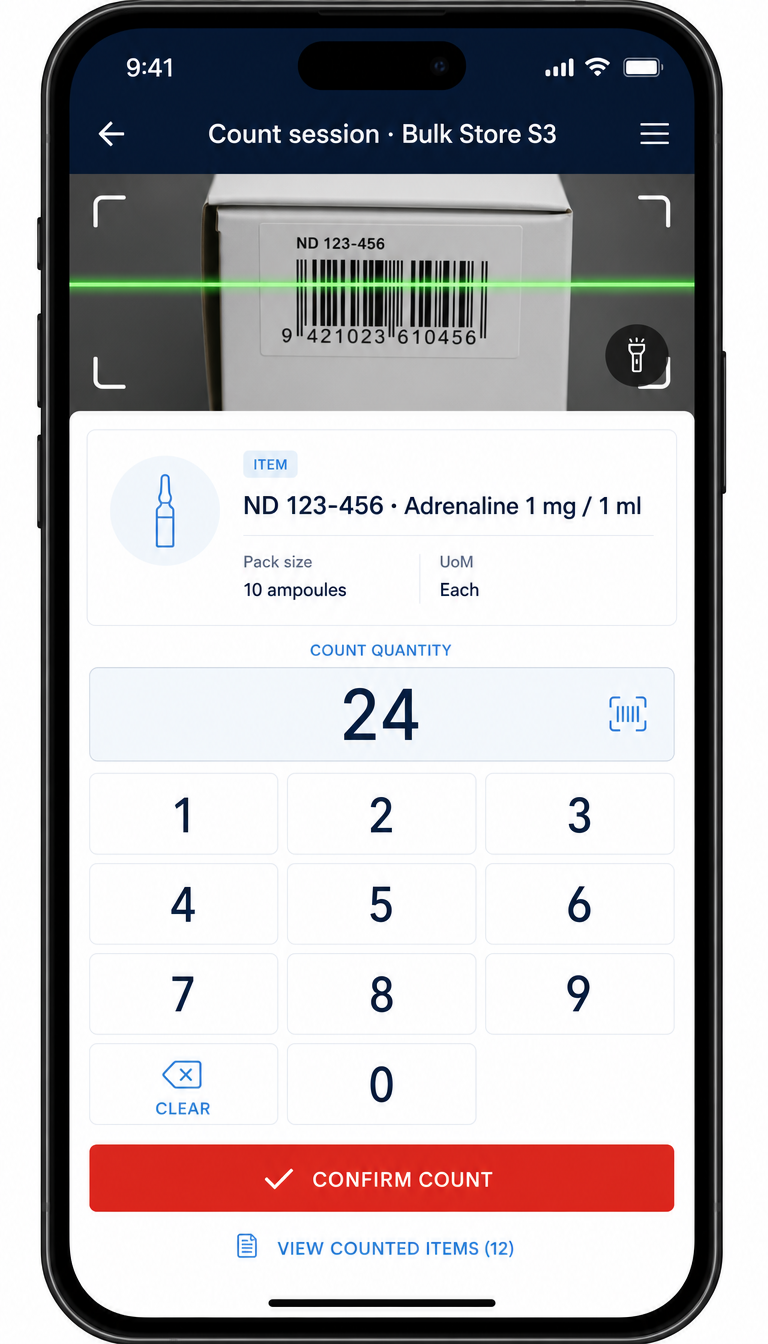
The count screen is built around the scan, not the keyboard. Point the camera or pull the trigger on a wedge scanner, feel the beep and vibration, tap the quantity on a full-screen keypad and move to the next item.
Catalogue
Bring your existing catalogue in from any system, keep it grouped and coded the way your storeroom works.
A three-step wizard — upload, validate, commit. Duplicate codes, barcode clashes and bad quantities are caught before anything is written.
Drop in a raw stock report from your pharmacy system. Filter by store, drop zero quantities, merge duplicate stock numbers and export a ready-to-import file.
Group the catalogue by category, each with its own stock-code prefix. New items without a code get one generated automatically, in sequence.
Link any supplier or repack barcode to an existing catalogue item — mid-scan, mid-receive, without breaking the workflow.
Counting
Blind or open sessions, per-item batch tracking and exports the moment the count closes.
Phone camera or hardware wedge scanner. Every scan beeps, vibrates and opens a numeric keypad — no scrolling, no typing codes, no lost counts.
Hide expected quantities from counters for an honest count, revealed only to administrators at reconciliation.
Switch tracking on per item. Tracked lines prompt for a batch at the point of counting, sorted first-expiry-first-out, with an explicit confirmation before an expired batch is counted.
Close a session to lock it, then export the full count, the variance and the audit evidence to CSV, Excel or PDF.
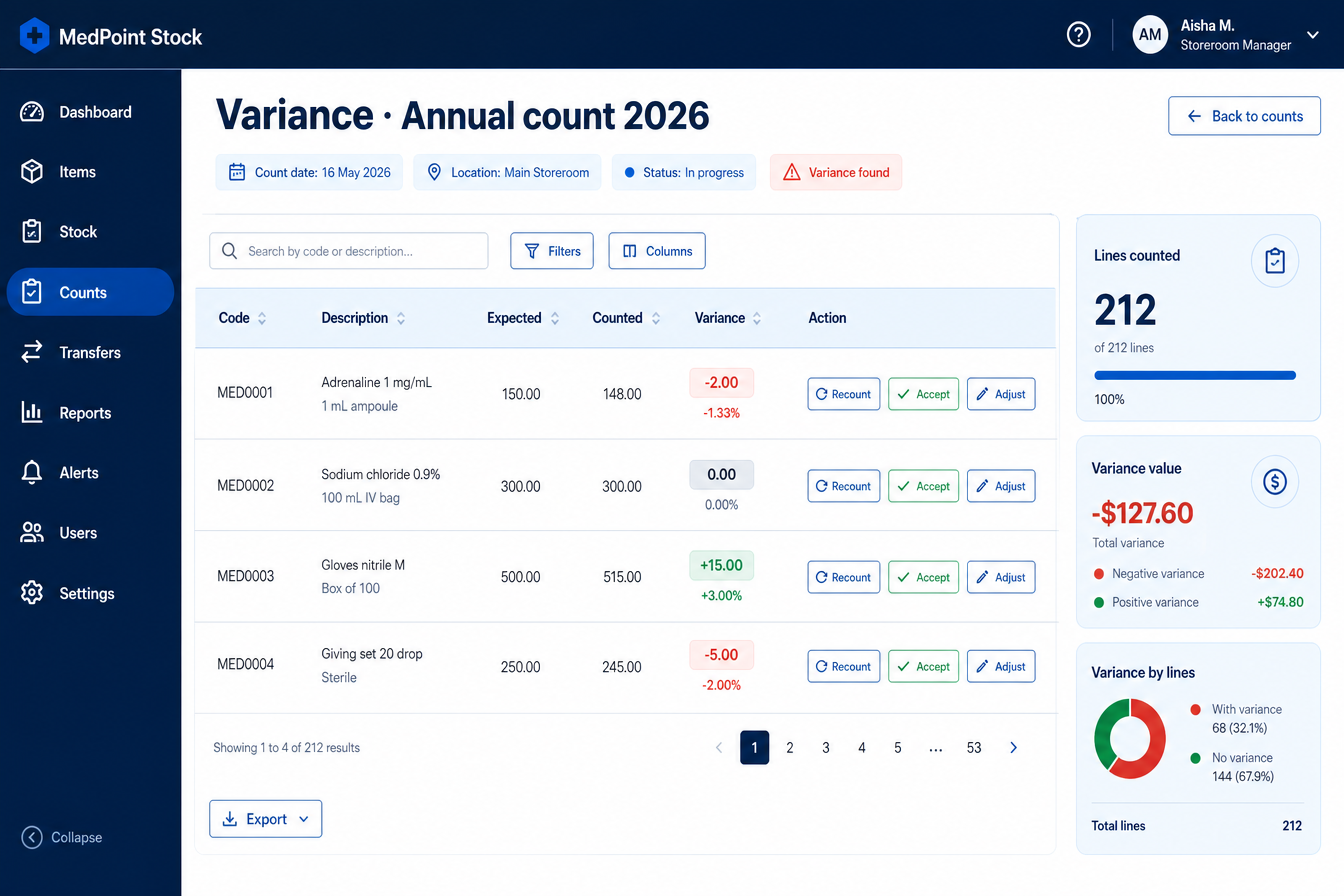
Expected against counted with the difference surfaced in value and units. Every line gets a decision — recount, accept, adjust the baseline or flag for ordering — and every decision gets a name and a date.
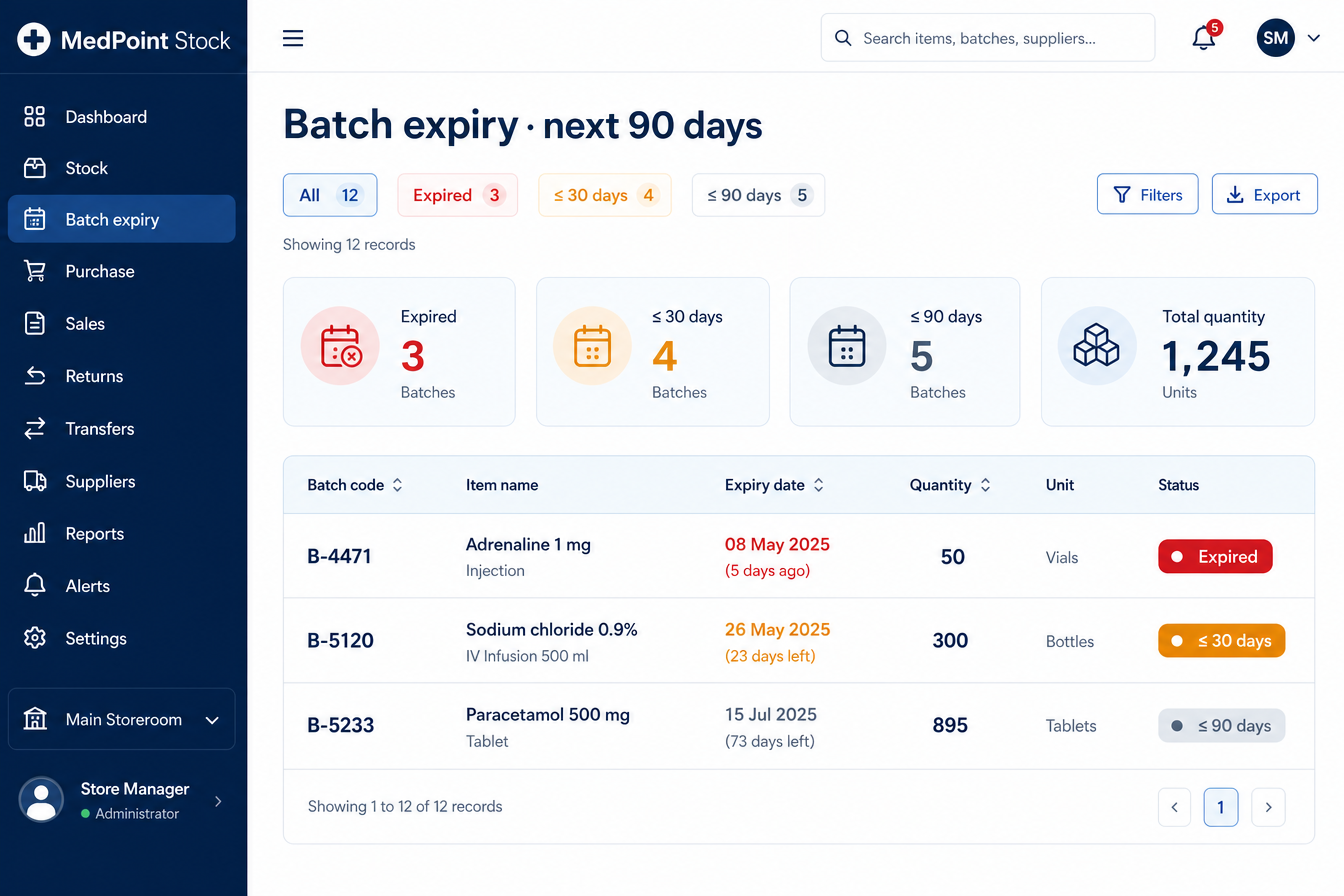
A storeroom-wide view of every batch: expired, within 30 days, within 90 days or undated. Counted first-expiry-first-out, flagged the moment something lapses, and exportable to CSV for the quality file.
Movements, lists and labels
Grouped movement sessions for stock in and out, order lists seeded from variance, and labels printed to the millimetre.
Scan items in as they arrive, in grouped sessions. Unknown barcode? Add the item inline or link it to an existing one — then key the quantity straight in.
Record stock leaving the storeroom — dispensed to a ward or disposed of — with the same scan-forward flow and a full session record.
Scan-to-list for reorders and picking. Seed a list straight from variance flags, or search by description when the label is missing.
QR or Code 128, exact millimetre dimensions for Zebra thermal printers, or an A4 grid with cut margins. Alignment and border controls included.
Oversight
Dashboards, roles and an audit trail that names the owner and the date on every action.
Expected against counted, line by line, with a batch-by-batch breakdown under tracked items. Recount, accept, adjust the baseline or flag for ordering.
One storeroom-wide view of every batch: expired, within 30 days, within 90 days or undated. Search, filter by location and export to CSV.
Invite counters by email, assign roles, disable leavers. Everyone sees the same catalogue; only administrators change it.
Every count, adjustment, import, movement and list action records the owner and the date. Filter by user, action, item or period and export the log.
Import a catalogue, invite your counters and start a session. No hardware required.